



KYC Verification Failed? 15 Common Reasons and How to Fix Them
 22-Jul-2026
 2 mins read
Trending Now
-

Turtlemint Fintech Solutions IPO GMP, Open Date, Price Band, Issue Size 18-Jun-2026
-
.jpg)
SpaceX IPO: Elon Musk Becomes World's First Trillionaire — Key Facts Explained 13-Jun-2026
-

Zepto IPO, Open Date, Issue Size, Price Band and UDRHP Filed 12-Jun-2026
-
Shah Metacorp Rights Issue May 2026 Details, Record Date, Issue Price 26-May-2026
-

Jio Is Going Public. Here's What That Actually Means for You 11-May-2026
-

Parle Products IPO: India’s Most Iconic Biscuit Brand Going Public? 30-Apr-2026
-
Gujarat Cotex Rights Issue 2026 Details, Record Date, Issue Price 27-Mar-2026
-
.jpg)
Avi Polymers Rights Issue 2026 Details, Record Date, Issue Price 11-Feb-2026
-

D & H India Rights Issue 2026 Details, Record Date, Issue Price 05-Feb-2026
-

Avasara Finance Rights Issue 2025 Details, Record Date, Issue Price 29-Dec-2025
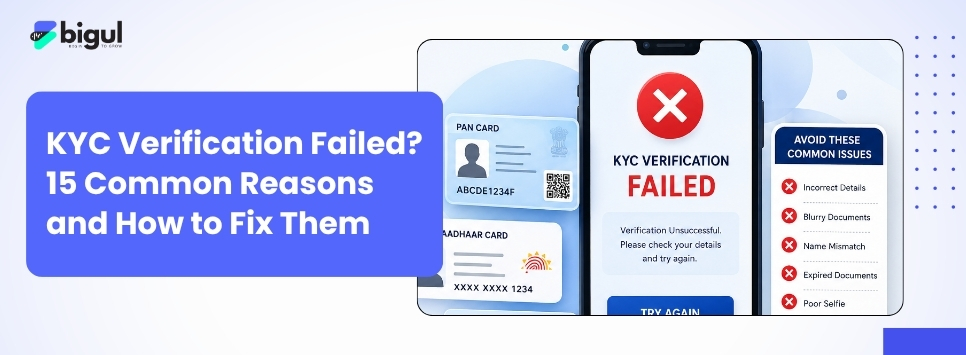
KYC Failed? Here's How to Fix Common KYC Rejection Issues
Your KYC failed. Your account is on hold. You cannot invest.
Here is exactly what went wrong and how to fix it.
Why KYC Failures Happen
KYC failures fall into three broad categories: document mismatches, contact detail issues, and compliance gaps.
Document and Identity Issues
1. Name mismatch between PAN and Aadhaar
Even a minor spelling difference: "Dhwani" vs "Dhvani" triggers rejection.
Fix: Apply for PAN correction at NSDL or update Aadhaar at myaadhaar.uidai.gov.in.
2. PAN not linked to Aadhaar
Without this, KYC simply cannot be validated.
Fix: Link at eportal.incometax.gov.in. Pay ₹1,000 penalty if the deadline has passed.
3. Blurry or cropped document images
Bad lighting or cut-off edges get rejected immediately.
Fix: Resubmit with clear, full-page, high-resolution scans.
4. Expired identity documents
An expired passport or licence fails automatically.
Fix: Use Aadhaar and PAN; they never expire.
5. Invalid documents
Utility bills and bank statements are no longer accepted. Only Aadhaar, PAN, passport, voter ID, and driving licence qualify.
Fix: Resubmit using only officially valid documents.
6. Signature mismatch
Your signature on the KYC form differs from your PAN or bank records.
Fix: Use a consistent signature and contact your KRA to resubmit.
Contact Detail Issues
7. Mobile number not linked to Aadhaar
eKYC requires an OTP on your Aadhaar-registered mobile. If your number has changed, OTP delivery fails.
Fix: Update your mobile number at the nearest Aadhaar enrolment centre first.
8. Mobile or email not verified
Unverified contact details put KYC on hold.
Fix: Log into your broker's platform and complete OTP verification for both.
9. Outdated contact details
Old number or email means missed OTPs and verification alerts.
Fix: Update through your broker's KYC section.
Compliance Issues
10. KYC showing "Registered" not "Validated"
New investments are blocked until you upgrade to Validated status.
Fix: Resubmit KYC using Aadhaar through CAMS, KFintech, CVL, or NSE KRA.
11. Nominee not registered
SEBI requires nomination or explicit opt-out for all demat accounts.
Fix: Complete nominee registration via Aadhaar OTP on your broker's platform.
12. Income range not updated
Some brokers require periodic income updates as part of KYC refresh.
Fix: Log in, select income range, and confirm via OTP in under two minutes.
13. Bank account mismatch
Your linked bank account must match your KYC name exactly.
Fix: Re-verify through your broker or resubmit a cancelled cheque matching your KYC name.
14. IPV (In-Person Verification) not completed
Skipping video verification leaves KYC incomplete.
Fix: Complete IPV through your broker's app via selfie or live video under 5 minutes.
15. KYC linked to wrong PAN or Aadhaar
Aadhaar connected to a different PAN blocks verification.
Fix: Contact your KRA for de-linking or reach your Jurisdictional Assessing Officer at the Income Tax Department.
Check Your KYC Status
-
CAMS KRA: https://www.camskra.com
-
KFintech KRA: https://mfs.kfintech.com
-
CVL KRA: https://www.cvlkra.com
Enter your PAN to see your current KYC status
→ Aadhaar-PAN not linked? Fix it first: [Aadhaar-PAN Link Status Check Guide]
→ Understand how eKYC works: [eKYC Explained]
→ Ready to start investing? [Open your Bigul account in minutes]